 Lumi Scraper
Finds the data itself
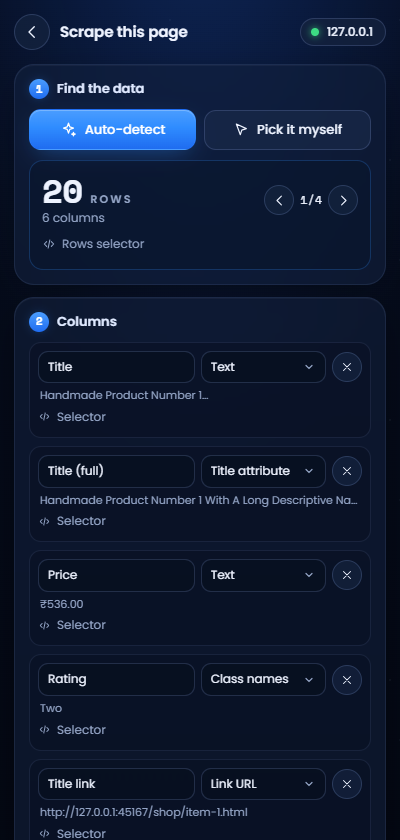
The main list or table is picked out for you: products, not menus. Even lists split across grids, inside frames or inside web components.

SCRAPER
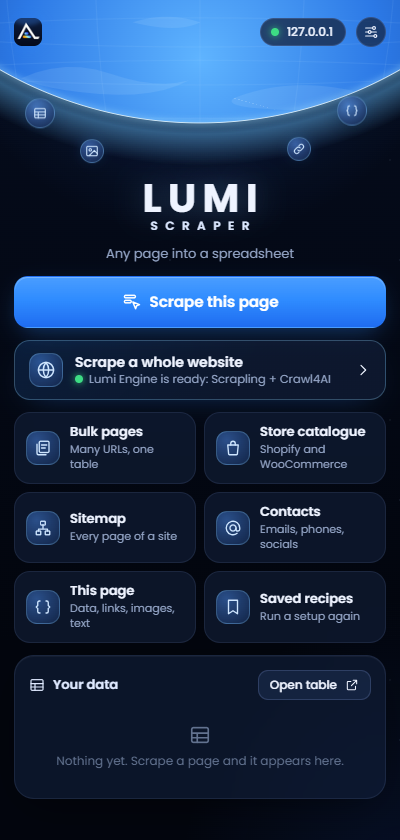
Any list, table, store or whole website, into a clean spreadsheet.
A Chrome extension you point and click, with an engine that runs Scrapling and Crawl4AI for whole websites.
In private testing · not in the Chrome Web Store yet
What it does
Open a page, press one button, and the list you wanted is already picked out. Every tool runs in your own browser.
The main list or table is picked out for you: products, not menus. Even lists split across grids, inside frames or inside web components.
Click a single item and it finds every look-alike. Click inside it to add columns, and test any selector.
Follows Next, keeps pressing Load more, keeps scrolling, with pauses between pages. Close the panel and it carries on.
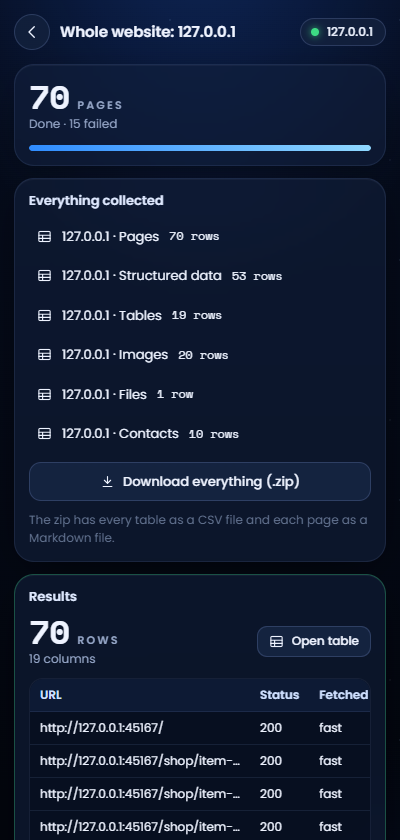
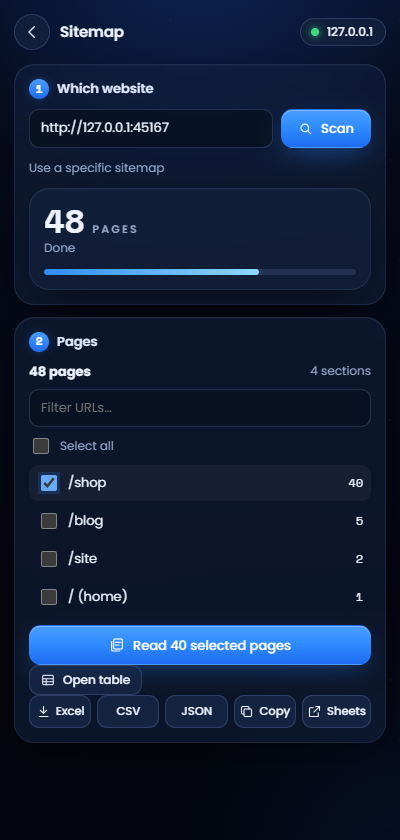
With Lumi Engine: every page of a site as text, structured data, tables, images, files and contacts, in one zip.
Reads a page's structured data into typed columns: price, SKU, brand, rating, job title, address and more.
A whole Shopify or WooCommerce catalogue, per product or per variant, with real prices.
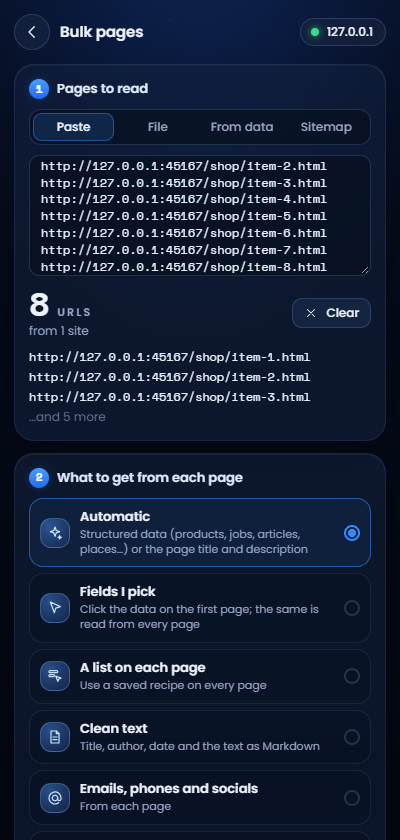
Every page a site lists, grouped by section. Paste many URLs, or use a column of earlier results, and read them all.
Sort, filter, remove duplicates, split and merge columns, see images in a gallery and download them with your own file names.
Excel, CSV, JSON, Markdown for AI tools, or straight into Google Sheets. In English, Bengali and Hindi.
Lumi Engine
Lumi Engine runs Scrapling and Crawl4AI on your own computer. The extension tells it what to read, and the results fill your tables as they arrive.
Scrape a whole website
  ├─ Pages            title, description, words, links
  ├─ Structured data  products, jobs, articles, places
  ├─ Tables           every table, with its headers
  ├─ Images           every image with its alt text
  ├─ Files            PDFs, documents, spreadsheets
  ├─ Contacts         emails, phones, social profiles
  └─ markdown/        each page as clean Markdown
Built with care
Lumi Scraper collects what's openly on the web, without getting around anyone's protections.
It installs with no access to any website, and asks for each site the first time you use it there.
Results are kept in your browser and your own Lumi Engine. No analytics, no tracking.
A page behind a bot check is reported as blocked, never forced open.
It doesn't scrape behind logins or paywalls that aren't yours to open.
At least half a second between pages of a website, plus a random pause, and slower when a site asks.
When results contain emails or phone numbers, it reminds you that privacy laws apply.
Lumi Scraper is made by Arkadeep Chakraborty. If it saves you time, you can support its development with a one-time payment of an amount you choose.
Voluntary and one-time. It isn't a donation to a charity and doesn't buy a plan or features. Payments are processed by Cashfree Payments. See the refund policy.
Contact
support@lumifine.coQuestions, problems, complaints or payment issues. More on the contact page.